

The Wisp Cheat Sheet
Everything on one page: where the controls are, what the buttons mean, and the fixes for the things that most often go wrong. Each item here was checked in the app in October 2026.
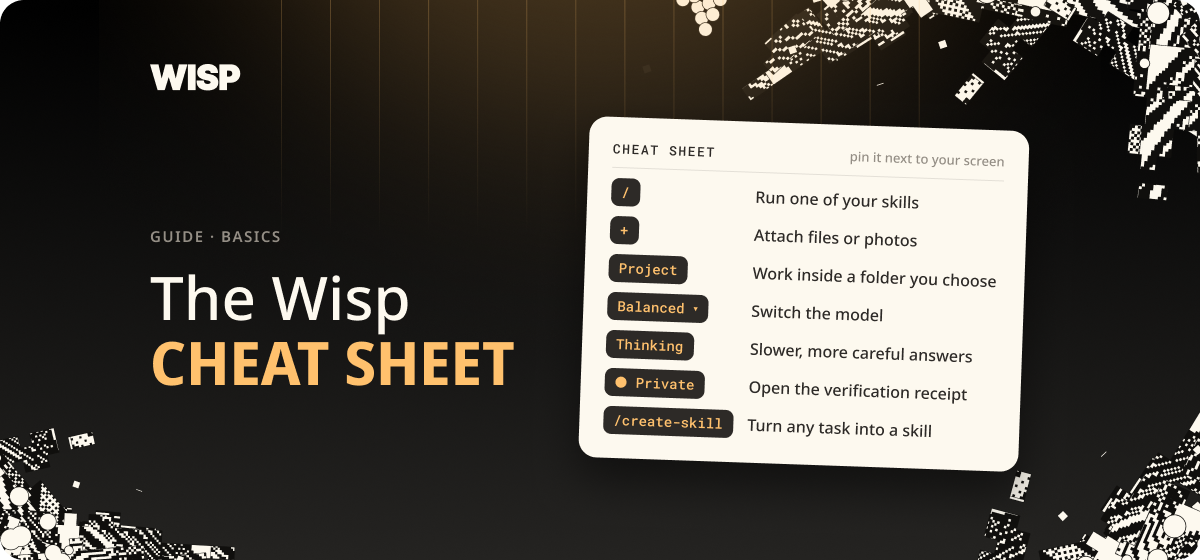
The Wisp Cheat Sheet
Everything on one page: where the controls are, what the buttons mean, and the fixes for the things that most often go wrong. Each item here was checked in the app in October 2026.
Around the window

| What | Where | What it does |
|---|---|---|
| New Chat | Top of the left sidebar | Starts a fresh conversation |
| Project | Under the message box, left | Chooses the folder Wisp works in |
| Files icon | Right-hand edge of a chat | Lists the files in the project |
| Model menu | Under the message box, right | Balanced, Advanced, or a specific model under More |
| Thinking | Next to the model menu | For harder, multi-step questions. Stays on until you turn it off |
| Private 🔒 | Top right of the window | Opens the Verification center |
| Context counter | Under the message box, once a chat has started | How full this chat is |
| Cog | Bottom of the left sidebar | Settings: Permissions, Recording, Billing, Usage, General |
The slash menu
Type / in the message box to see your skills.
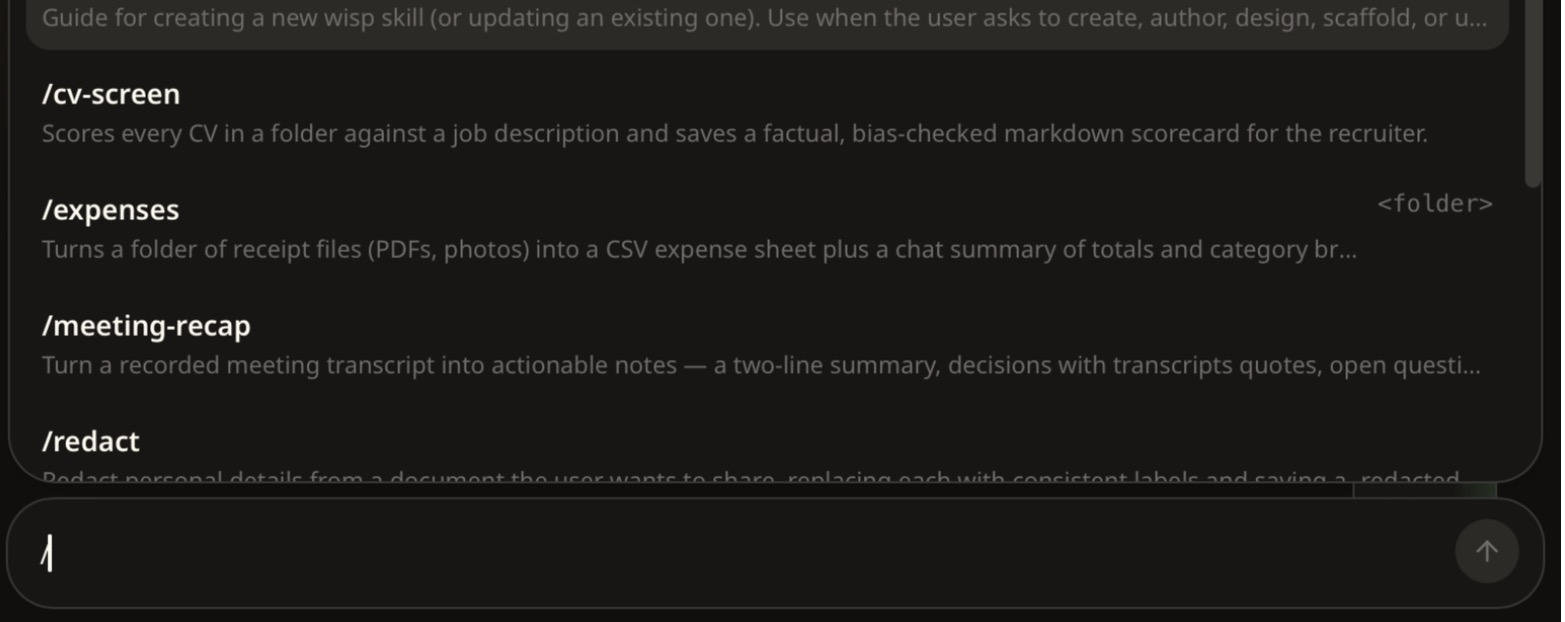
| Command | What it does |
|---|---|
/create-skill | Builds a new skill from a description |
/your-skill-name | Runs a skill you've made. Add a file, a folder or a request after it |
Skills are saved to your profile, in ~/.wisp/skills/, and work in every project.
The approval buttons
When Wisp needs permission, the chat stops on Awaiting confirmation.
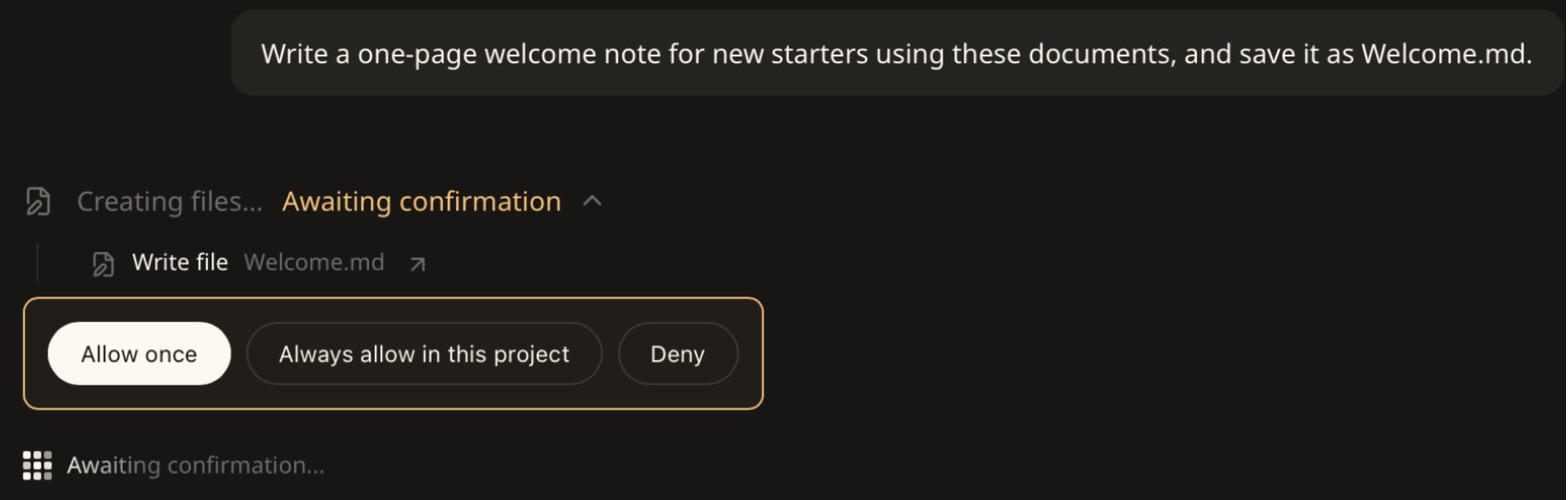
| Button | Meaning |
|---|---|
| Allow once | Do this, and ask again next time |
| Always allow in this project | Stop asking about this tool in this project |
| Always allow everywhere | In some chats the middle button reads this instead. Stop asking in every chat |
| Deny | Don't do it |
Defaults for every tool are in Settings → Permissions, with a Global tab and a Project tab.
The grey line
Above each answer is a line such as Searched files, read 6 files or Read a file, ran 2 commands. Click it to see exactly what Wisp did. It's the fastest way to check an answer.
Phrases that change the result
| Say this | To get this |
|---|---|
| "Quote the line and name the document" | An answer you can verify |
| "Check every document in the folder" | A full read, not just the first file that fits |
| "Work it out with a calculation" | Sums that are run, not estimated |
| "Use only the PDFs in this folder" | Answers that ignore notes Wisp wrote earlier |
| "Save it as report.md" | A file in your folder, not just a reply |
| "Remember this for future chats" | A note that carries over |
| "What have you remembered about this project?" | The list of those notes |
| "Don't include the client's name in any web search" | A search that leaves the name out |
Models at a glance
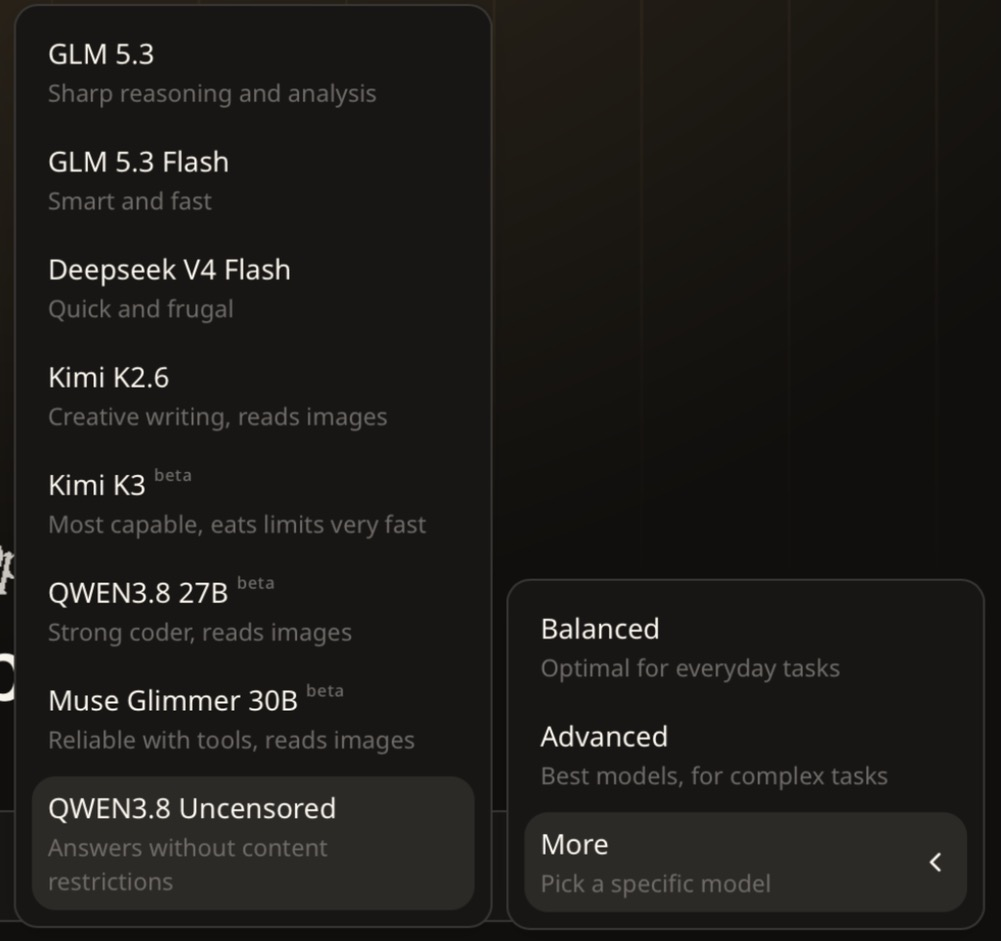
Balanced is described in the app as "optimal for everyday tasks" and Advanced as "best models, for complex tasks". Models marked beta are newer. Start with Balanced.
The ten most common fixes
| Symptom | Fix |
|---|---|
| Wisp can't see your files | No project is selected. Click Project and choose the folder. |
| Nothing is happening | Scroll down. It's probably on Awaiting confirmation. |
| It only read one file | Ask it to check every document. |
| A number looks wrong | Ask for a calculation, and turn on Thinking. |
| The answer has garbled characters | Switch the model to Balanced and ask again. |
| A step shows Failed — user denied | That tool is set to Deny, or you clicked Deny. Change it in Settings → Permissions. |
| It keeps asking about the same tool | Click the "Always allow" button, or set the tool to Allow. |
A skill's / menu entry shows a stray symbol | Rebuild it, and ask for the description "as a single plain line". |
| A skill can't find its own settings file | Rebuild it, and say to read the file "from the skill's own folder". |
| A chat has grown very long | Save a summary to a file and start a new chat. |